


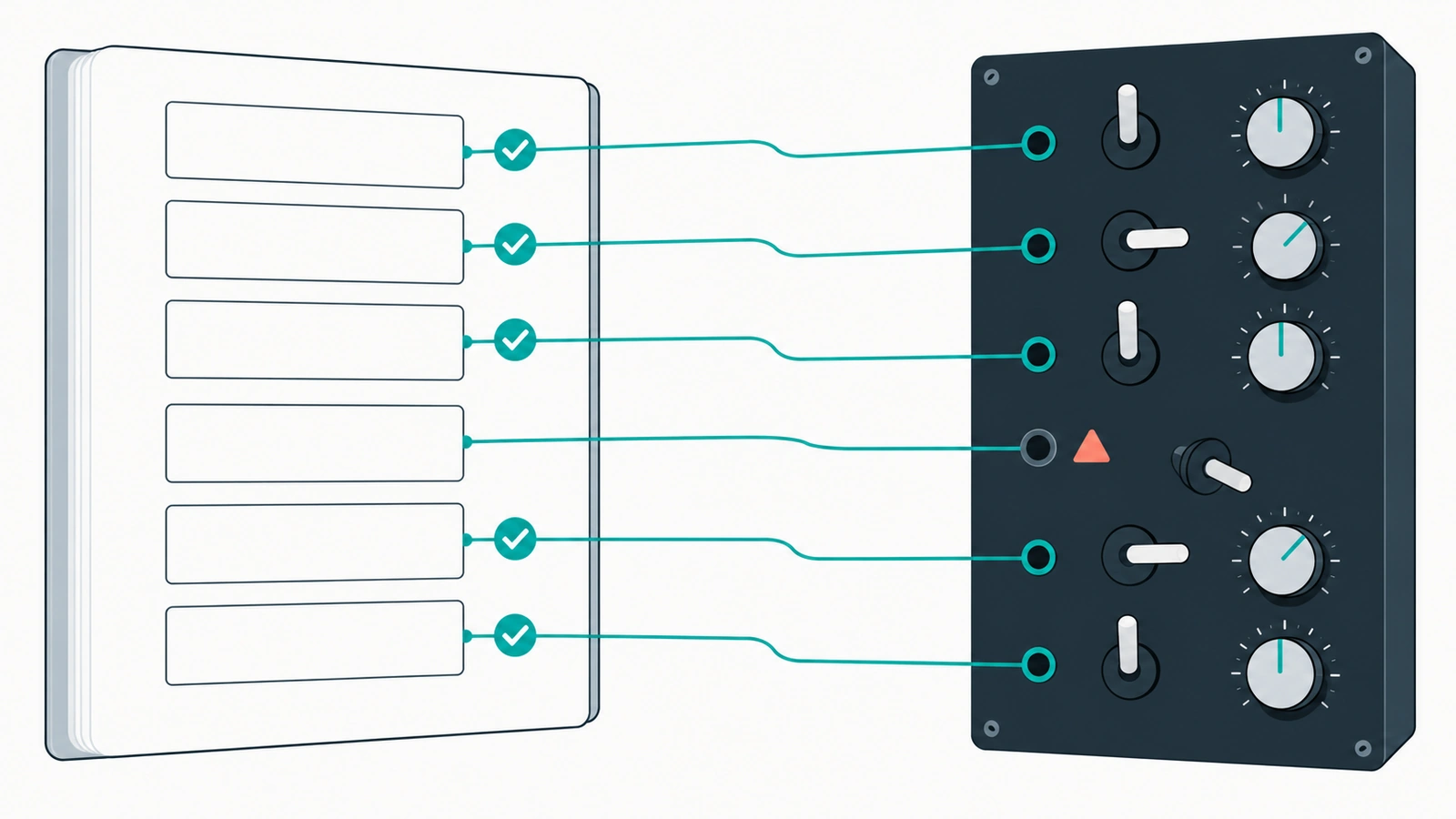
A setup guide can pass every check you run on it. Vale is happy with the style, markdownlint is happy with the structure, every link returns 200. And step 4 still tells the reader to click a button that was renamed two releases ago.
Well-formed is not the same as true
Linters and link checkers prove that docs are well-formed. None of them notice that the product has moved on. Our guide to running Vale as a GitHub Actions merge gate covers the first kind of check: Vale checks how the docs are written. Docs as tests checks whether the instructions still work.
Without that second check, drift surfaces as a confused user filing a support ticket. Increasingly it surfaces somewhere less visible: an AI agent following stale steps with no sense that anything is off.
What docs as tests means
The approach was developed by Manny Silva, creator of Docs as Tests and of the Doc Detective tool. His book Docs as Tests: A Strategy for Resilient Technical Documentation, released in May 2025, treats documentation as “testable assertions about how your product works”. It covers graphical interfaces, APIs, command-line interfaces, and code examples.
That framing is the whole idea. Every documented procedure is a claim: go here, click this, run that, and you will see this result. Claims can be checked. So check them, against the real product, automatically and repeatedly.
Engineering leaders will notice this sounds like end-to-end testing, and mechanically it is close. The difference is where the test comes from. It is derived from the docs and lives with them, so when it fails, it tells you a specific instruction is wrong.
Why agents raise the stakes
Silva’s follow-up book, Docs as Tests & AI: A Strategy for Self-Healing Technical Documentation (May 2026), describes AI that “executes your procedures as agents”, with the warning that “every error along the way amplifies to thousands of users”.
The leadership point is simple. A human who hits a stale step usually stops, gets suspicious, and asks someone. An agent keeps going. It picks the closest-looking button, or improvises a command, and reports success or fails somewhere far from the actual cause. Your docs now have readers that act on them literally, which makes accuracy a functional requirement rather than a quality preference. (We argue the broader case in writing docs for humans and AI agents: why the choice is false.)
What Doc Detective does
Doc Detective is Silva’s tool for running docs as tests. It is open source under the AGPL-3.0 licence. It performs documented steps the way a user would: going to pages, clicking, typing, finding elements, making HTTP requests, running shell commands and code, taking screenshots, and checking links.
Tests can live in three places: separate specification files in JSON or YAML, inline in the docs themselves, or detected from your existing content. Results come back as a JSON object “carrying PASS, FAIL, WARNING, or SKIPPED plus context, so other infrastructure can parse and manipulate them”. You run it with npx doc-detective.
The cost of starting is lower than it looks. Doc Detective’s agent tools integrate with AI coding assistants to, among other things, “Convert documentation procedures into executable test specifications”. A first draft of your tests can come from the docs you already have.
Self-healing docs: detect, diagnose, propose
Where this is heading is what Silva calls self-healing docs. In his AI the Docs 2025 talk, Self-Healing Docs: How Agents are Redefining the Docs Pipeline, the loop runs like this: a validation tool flags an issue, “an agent investigates root causes across docs and product systems”, and the system “either drafts a fix for review or escalates product bugs”. The second book summarises it as systems that “detect drift, diagnose the cause, fix the docs, verify the fix, and report what happened”.
Two details matter for leaders. First, the fix is drafted for review. A person still decides what ships, which is the same reason we keep humans in the loop for internal release notes. Second, a failing doc test doesn’t always mean the doc is wrong. Sometimes the docs describe the intended behaviour and the product is the thing that broke. That is a product bug caught by your documentation, which is a nice return on the effort.
Silva is explicit about the intent: “the goal is not to replace writers but to empower them”.
Parts of this already exist in practice. The Doc Detective GitHub Action can open an issue when tests fail (create_issue_on_fail) and commit changes to a new branch and open a pull request for review (create_pr_on_change).
How to check it
Something to forward to an engineer.
Write one inline test. Tests are written as HTML comments in the page. This is the shape of the minimal example from the Doc Detective inline tests docs:
<!-- test { "testId": "navigation-test" } -->
Navigate to our homepage:
<!-- step { "goTo": "https://example.com" } -->

Click the menu button:
<!-- step { "click": "Menu" } -->
<!-- test end -->
Run it in CI with the GitHub Action, and make failures count.
- uses: doc-detective/github-action@v1
  with:
    exit_on_fail: true
exit_on_fail is the input that matters. By default the action reports results and exits cleanly, and the standalone CLI “exits non-zero only when it crashes or your config is invalid”, never because a test failed. Without this input, a broken procedure won’t block anything. (Our overview of five CI workflows for documentation shows where this sits alongside linting and link checks.)
Run it on a schedule as well as on pull requests. Our recommendation: add a nightly or weekly schedule: trigger alongside pull_request. The product can change without anyone touching the docs, and a PR-only trigger will never see that drift.
Start with one procedure. Pick the one that matters most, usually signup, install, or the first API call, and test only that. Expand once the first test has caught something.
Get the full checklist
Docs as tests supports “Procedures still work”, one of the 16 checks in our agent-ready docs checklist, in the Trust layer and rated Critical. Get the free checklist.
References
- Docs as Tests book is now available (Manny Silva)
- Docs as Tests & AI, A Strategy for Self-Healing Technical Documentation
- Doc Detective, Introduction
- Doc Detective GitHub repository
- Doc Detective, AI agents overview
- Self-Healing Docs, How Agents are Redefining the Docs Pipeline (AI the Docs 2025)
- Doc Detective GitHub Action
- Doc Detective, Inline tests